Your marketplace ops team just got another teammate — one that already knows your data, reads the page you’re on, and never gets paged about a stuck offer at 11pm.
Suger AI is the copilot built into the Suger Console. It opens in a side panel on every page, knows which offer, referral, or product you’re looking at, and can answer questions, pre-fill forms, troubleshoot failures, and navigate you to where you need to go next.
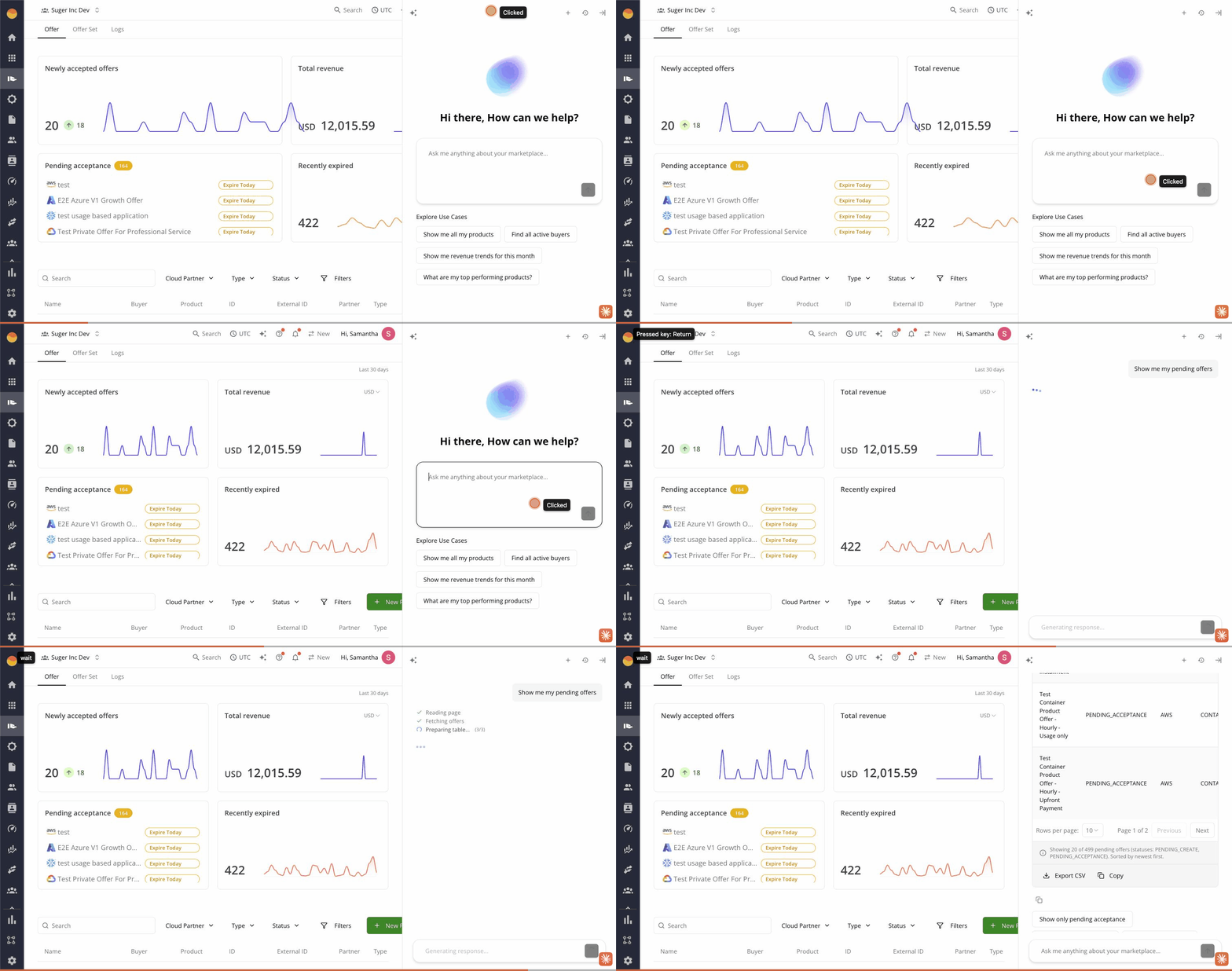
This post walks through what Suger AI sees, what it can actually do, and how it works underneath. Deeper guides on each capability are linked at the bottom.
It already knows what you’re looking at
Most copilots make you describe your situation before they help. Suger AI starts with the context the console already has.
When you open the chat panel, it picks up:
- The route you’re on —
/offer,/cosell/<id>,/integration/aws-ace, anywhere - The current entity — the specific offer, referral, product, or buyer record
- Recent errors — failed offer creations, sync errors, validation messages
- Form state — what’s filled in, what’s missing, what’s invalid
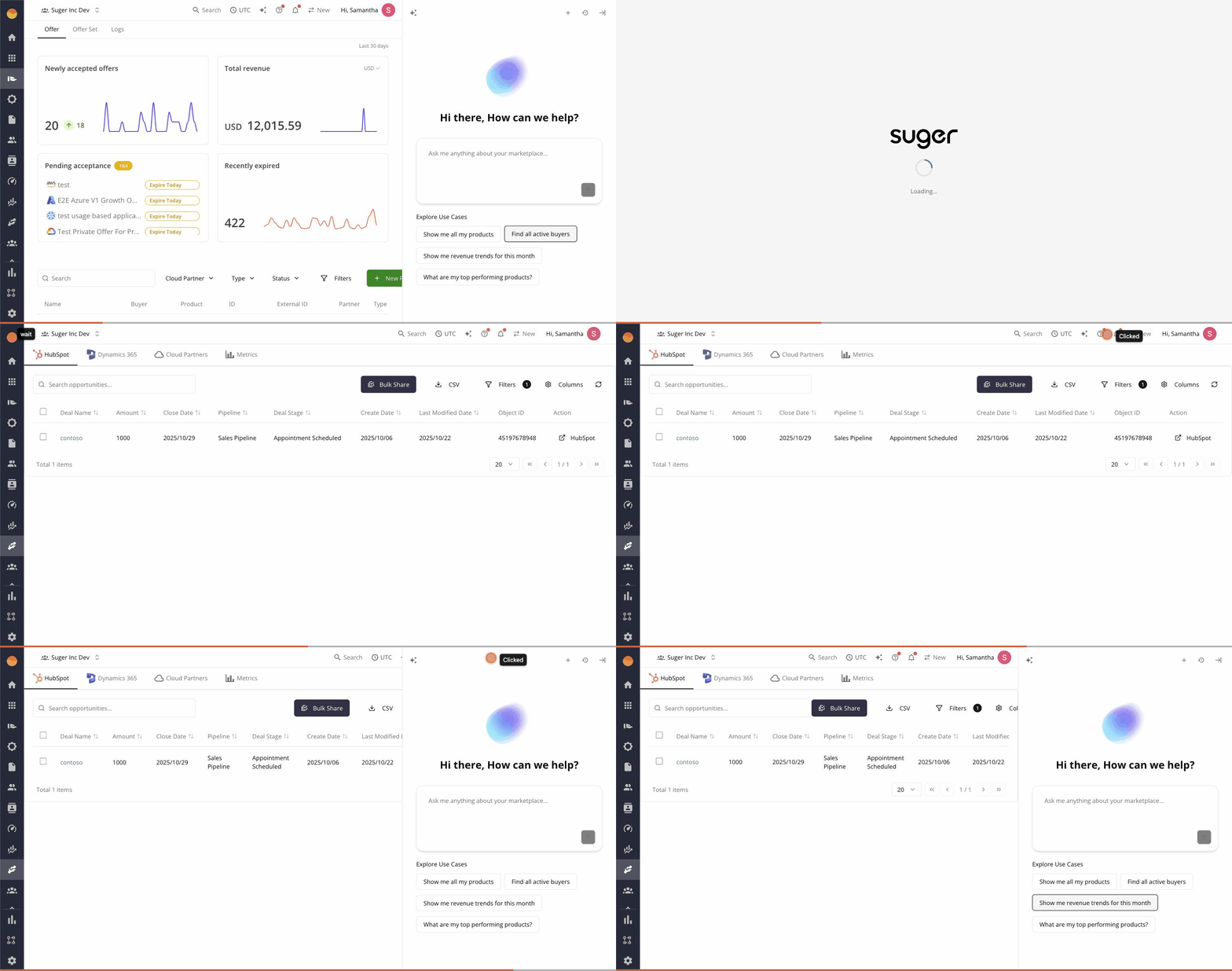
That means “why did this fail?” works without you pasting an error message. “Create a private offer like this one for Globex” works without you giving it the offer ID. The page is the context.
What it can do
Suger AI is more than a Q&A assistant. It can query your data, take actions on your behalf, and walk you through workflows.
Query your marketplace data. Ask in plain English — “which offers are accepted but not purchased?”, “how much pipeline is at risk this quarter?”, “show me all healthcare deals”. The agent runs against your live Suger data and returns inline tables, charts, and summaries.
Pre-fill forms and dialogs. Tell it “create a 12-month subscription offer for Acme at 20% off,” and it opens the offer creation form with the fields populated. You review, edit, and submit.
Troubleshoot failures. When an offer or co-sell referral fails to create, Suger AI auto-opens with a diagnosis — “AWS rejected this because dimension key data-units contains a hyphen; AWS only allows letters, digits, and underscores.” Click Edit Draft and it navigates you to the form with the fix already staged.
Navigate the console. Ask “take me to my Salesforce integration settings” and you’re there. Useful when you don’t remember where a feature lives.
Search docs and knowledge. AWS, Azure, GCP documentation plus Suger’s own knowledge base are searchable from the same chat thread, so you don’t context-switch to find an answer.
How it works
Suger AI is a LangGraph ReAct agent — a reasoning + acting loop that lets the agent decide which tools to call, in what order, based on what you’ve asked. The default model is Claude 3.5 Sonnet, with BYOK (bring-your-own-key) support for teams who’d rather route inference through their own Anthropic, OpenAI, or Azure OpenAI account.
The agent has access to three categories of tools:
- Frontend tools read the current UI state, fill forms, click buttons, take screenshots, and trigger navigation. These are how the agent acts in the console.
- Data tools query the Suger database for offers, products, buyers, entitlements, referrals, and contacts. The agent can also run safe parameterized SQL when a question needs a one-off shape.
- MCP tools connect to external systems — AWS, Salesforce, HubSpot, knowledge bases — via the Model Context Protocol. Anything available through a Suger integration is reachable from the chat.
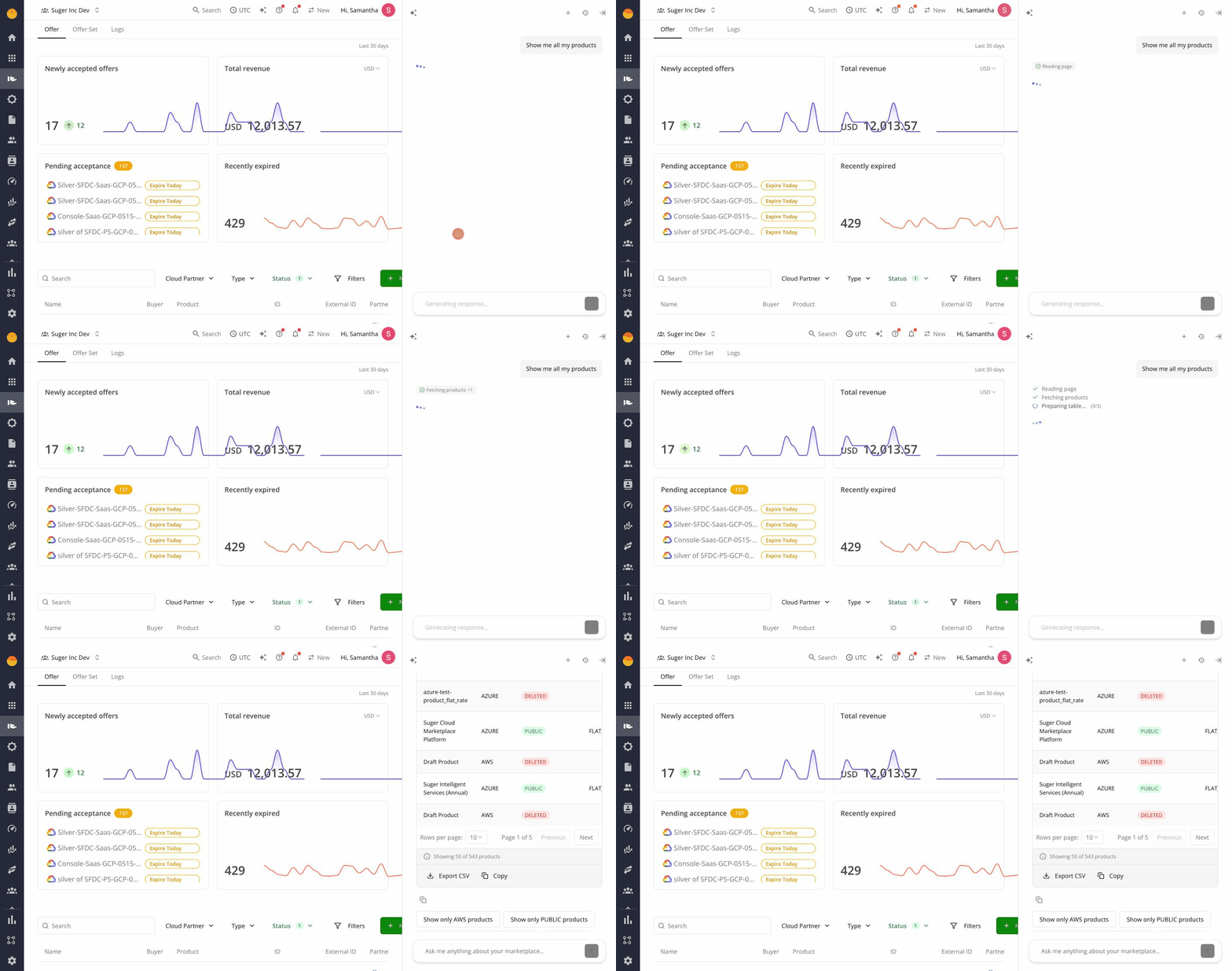
Tool calls are visible inline as cards in the chat — you can see exactly which query ran, with which arguments, before the result renders. No black box.
The deeper guides
Suger AI shows up across the product in four shipped surfaces. Each has its own guide:
- AI Opportunity Insights — AWS-powered insight cards on co-sell referrals, with one-click prompts to progress an opportunity.
- AI Diagnose for Offer Failures — failed offer? The chat auto-opens with the specific reason and a one-click path to fix it.
- AI Diagnose for Co-Sell Failures — same hook, for failed AWS ACE, Azure Deal Reg, and GCP referrals.
- AI Field Mapping & Prompt Templates — how AI Auto Fill writes your CRM ↔ marketplace field mappings, and how to author the prompt templates behind it.
Try it
Suger AI is live for every Suger customer. Open the Console and click the chat panel — it’s already there, already in context. Book a demo if you’re not on Suger yet.
Stay Updated
Get the latest Cloud GTM insights, product updates, and marketplace strategies delivered to your inbox.