
Most co-sell programs surface a referral and leave you to figure out what to do next. AI Opportunity Insights flips that around: on every AWS ACE referral in Suger, you see AI-generated guidance on health, risk, and next steps — directly from AWS’s own opportunity intelligence, served inside the Suger Console.
This guide walks through where the insights live, what the three card types mean, and how the data flows under the hood.
Where to find them
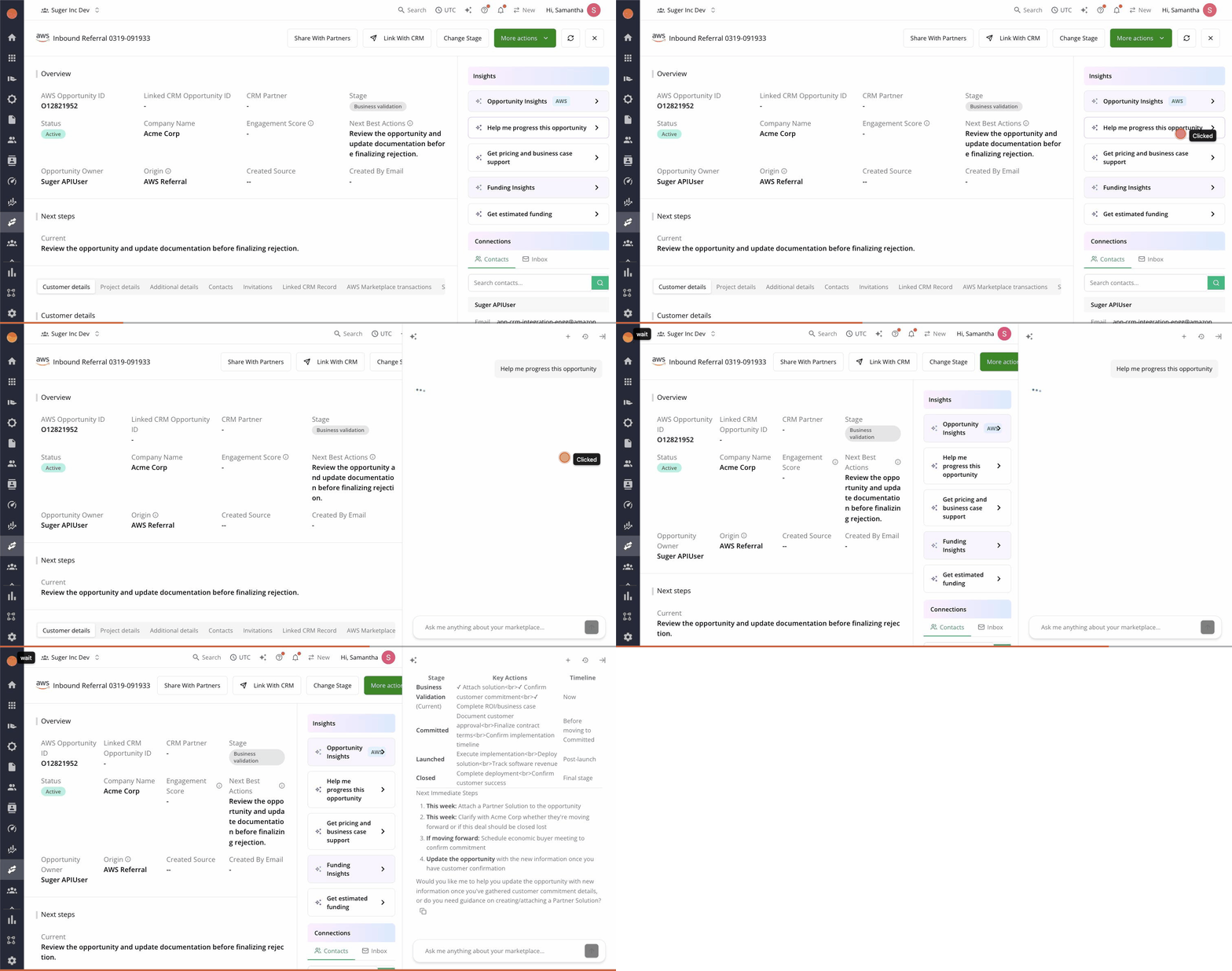
Open any AWS ACE referral in the Suger Console (/cosellv2/ace/<id>). The Insights panel sits on the right rail of the referral detail page, alongside partner contact info. It only appears for referrals that have an AWS opportunity ID — referrals still in draft don’t yet have anything to analyze.
The three card types
The panel renders three different things, in a deliberate order.
Warning cards come first. These are Suger-computed deterministic alerts — not AI — for things like stale stage, missing decision date, or low engagement. They’re the things a rules engine should flag, so we use a rules engine.
Main insight cards are next. These are the AI-generated narrative — opportunity health, deal risk signals, recommended progression. Each card has an AWS badge to make the source obvious. They’re cached for 10 days so they don’t drift mid-quarter or change every time you reload.
Trigger cards sit at the bottom. They’re one-click prompts: Help me progress this opportunity, Prepare for launch, Get estimated funding. Clicking a trigger opens the Suger AI chat side panel with the request pre-filled and the result streaming in. You can copy the response or keep chatting from there.
What data leaves Suger
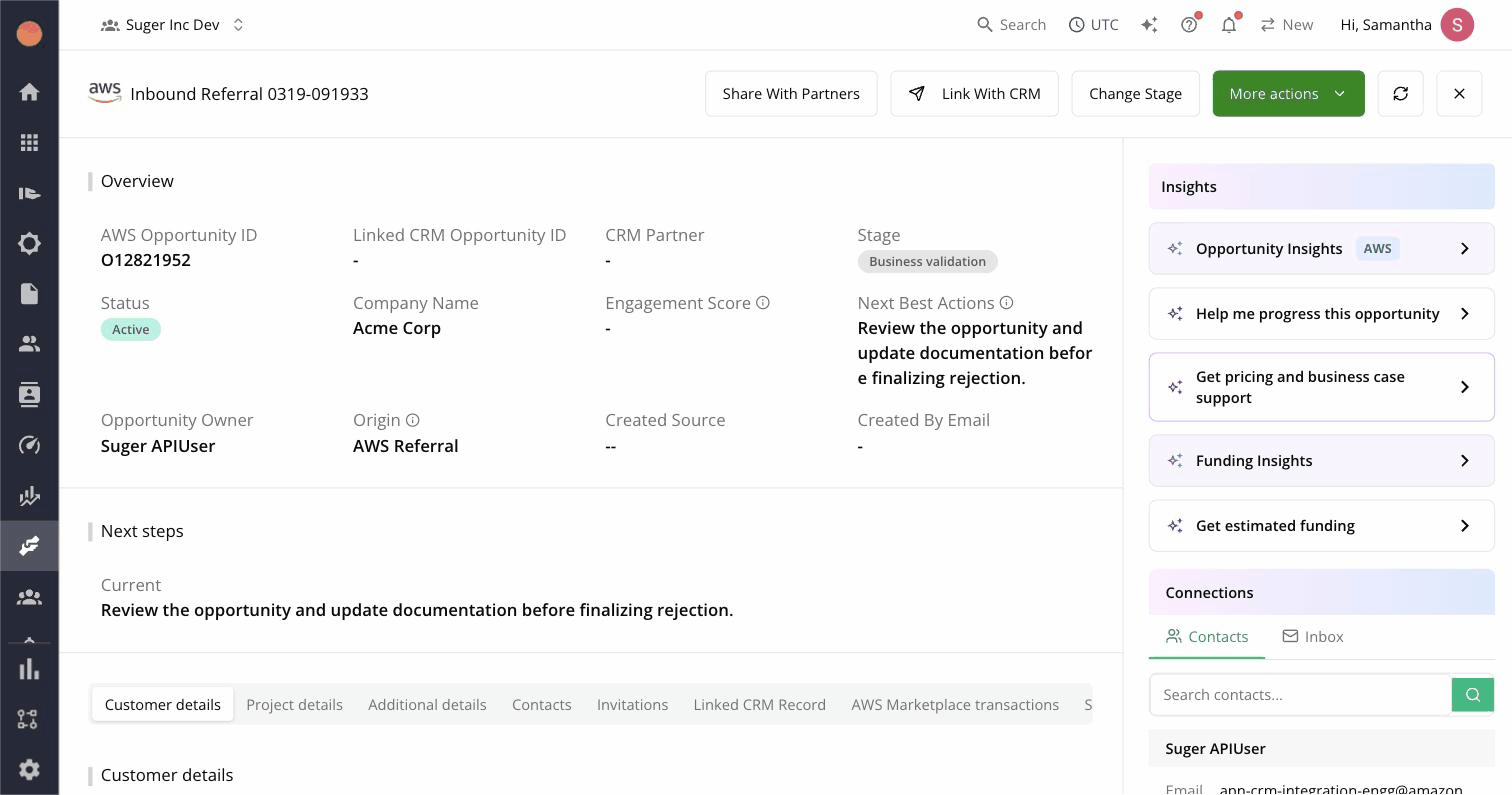
Insights are powered by AWS’s MCP (Model Context Protocol) server, not by Suger’s own LLM. When a card is generated, Suger sends the AWS opportunity ID plus the associated customer company name, industry, stage, expected close date, monthly revenue, and pipeline details — all data already in ACE — to AWS’s MCP endpoint. AWS runs its model and returns the insight text.
This matters for two reasons. First, the LLM analyzing your opportunity is AWS’s own — built on the same data they use internally for partner success — so the recommendations stay grounded in their definitions of health and stage progression. Second, no customer data crosses into a third-party model.
How the trigger flow works
Clicking Help me progress this opportunity (or any trigger) is the most useful affordance on the panel. It does three things:
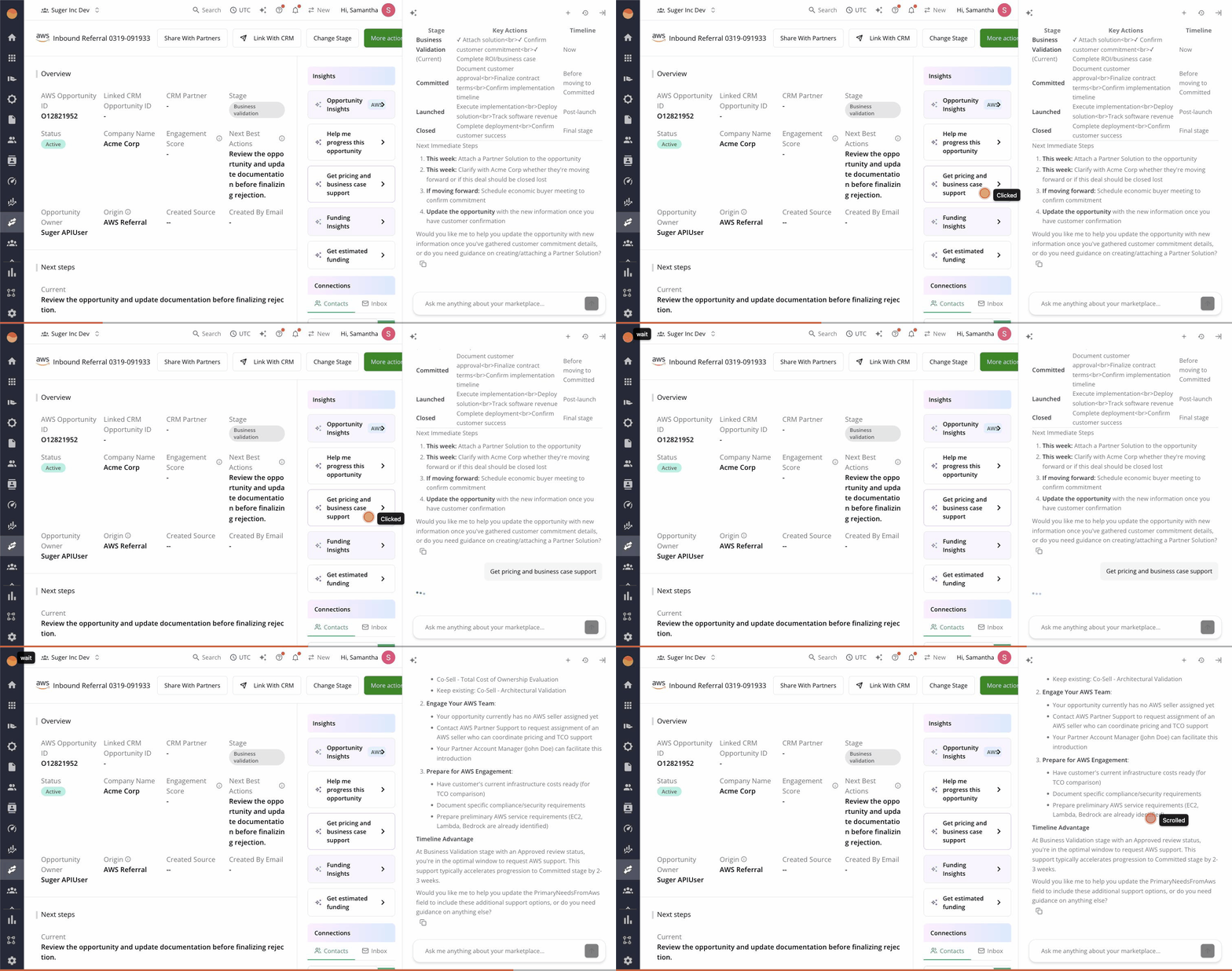
- Opens the Suger AI chat side panel with the opportunity context already loaded.
- Streams an AI-generated answer in real time — typically 100–300 words covering next-best actions, missing data, and progression risk.
- Surfaces a Copy message button so you can paste the guidance into Slack, email, or your CRM activity log.
The chat stays open after the trigger completes. Follow-up questions (“draft an email to the AWS rep”, “what funding programs is this eligible for?”) work as conversation continuations.
When to override the AI
Insights are guidance, not gospel. Two situations to override:
- You have non-public context. A trigger might suggest reaching out to the AWS rep about a stuck deal when you already know the customer is mid-acquisition. Your context wins.
- The 10-day cache is stale. Insights are cached for stability, not freshness. If you’ve just had a major shift on the deal — buyer changed, stage jumped, scope tripled — the cached insight may not reflect it. Take it with a grain of salt until the next refresh.
What’s next
AI Opportunity Insights ships today for any Suger org with AWS ACE integration enabled. For the broader picture of how AI sits across Suger, see the pillar guide on Suger’s AI features and the intro blog on the in-product copilot.
If you’re not yet on Suger, book a demo and we’ll show you the insights on your real ACE pipeline.