


Co-sell referral submissions fail for a different set of reasons than offers — schema differences across AWS ACE, Azure Deal Registration, and GCP, opportunity enrollment gaps, customer record mismatches with the cloud’s own CRM. The Suger AI co-sell diagnose skill mirrors the offer diagnose flow: open a failed referral, get a plain-English explanation in the chat panel, click Open Edit Dialog to resubmit with the fix in place.
This guide covers what the skill catches per cloud, the resubmit flow, and the engagement-score pipeline that flags risky referrals before they fail.
How the flow works
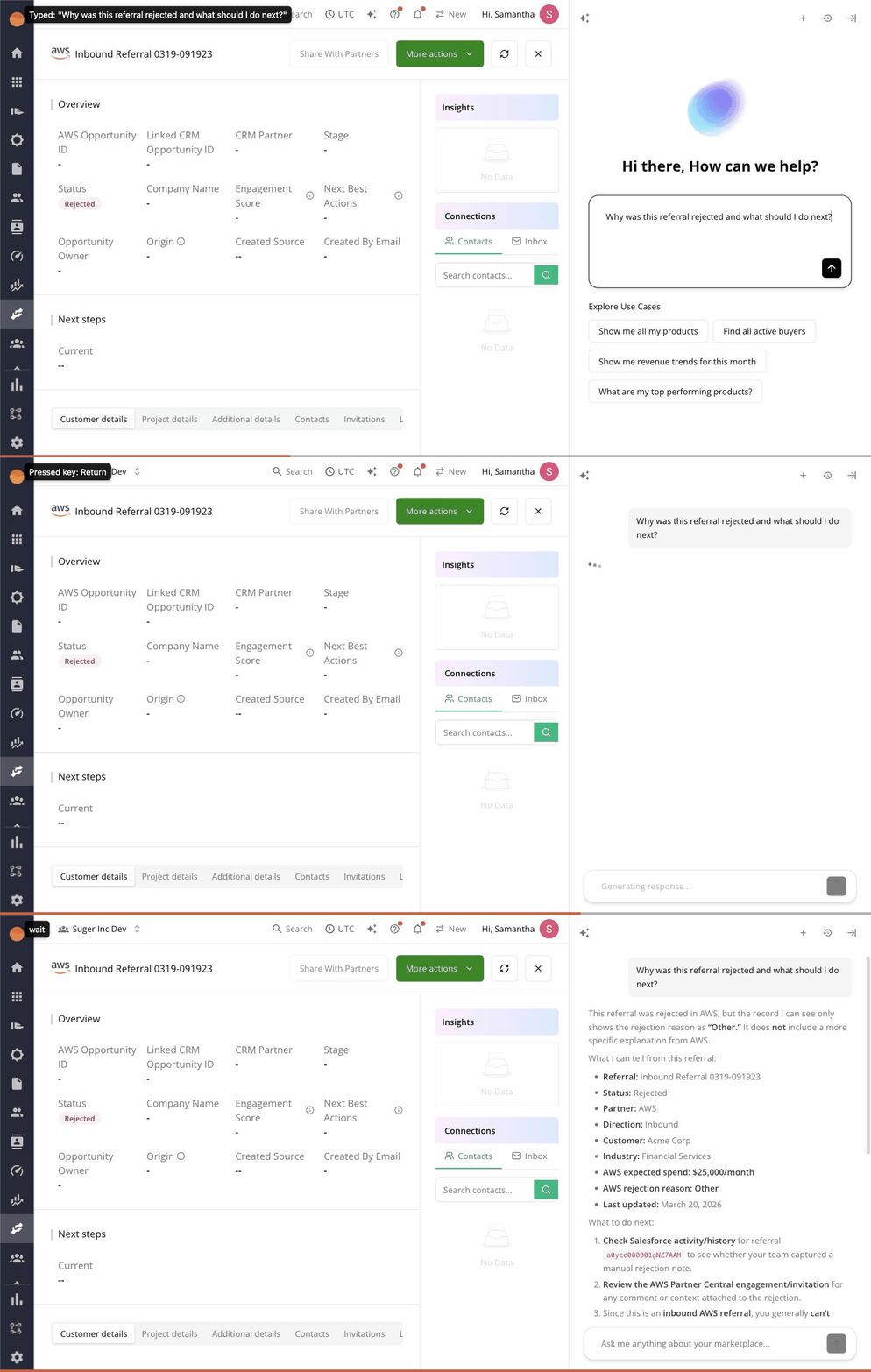
When a co-sell referral’s status is CREATE_FAILED or UPDATE_FAILED with a non-empty error message array, Suger AI’s chat panel auto-opens on the referral detail page. The agent reads the error stack, matches it against the cloud-specific diagnosis skill, and returns:
- A one-paragraph explanation of why the referral was rejected.
- The specific fields that need to change.
- An Open Edit Dialog action that opens the referral edit dialog with the corrections pre-filled, ready for resubmit.
You can also open the chat manually from the AI Diagnose button in the referral detail header — useful when you want to re-run the analysis after an external change (a CRM update, a customer enrollment).
Why co-sell referrals fail
Each cloud has its own submission shape. The diagnose skill knows them:
AWS ACE
- Opportunity not enrolled — the AWS opportunity ID exists but isn’t enrolled in your partner program tier.
- Customer record mismatch — the customer account in your CRM doesn’t match an AWS-side account; ACE requires a linked account.
- Expected monthly revenue out of range — too high for the program tier or zero.
- Stage skip — you’re trying to submit at a stage that requires earlier stages first.
- Customer company name format — special characters or missing fields.
Azure Deal Registration
- Deal Reg schema mismatch — Azure’s Deal Reg API uses a different schema than offer submission; field names differ.
- Solution area / industry — Azure picklists are stricter than AWS; CRM values often don’t map cleanly.
- Customer tenancy — customer’s Azure AD tenant ID is required for some deal types.
- Close date constraints — must be future, within a program-defined window.
GCP
- Coil eligibility — opportunity doesn’t meet GCP’s coil (Co-sell Influence) criteria.
- Partner advantage tier — referral type requires a tier the seller doesn’t have.
- Customer GCP entity — customer’s GCP organization ID is required and was missing.
For each, the AI returns the user-friendly version: not “schema validation error 4002” but “Azure rejected this because the industry picklist value ‘Healthcare & Life Sciences’ isn’t in their accepted list — try ‘Healthcare’ instead.”
The resubmit flow
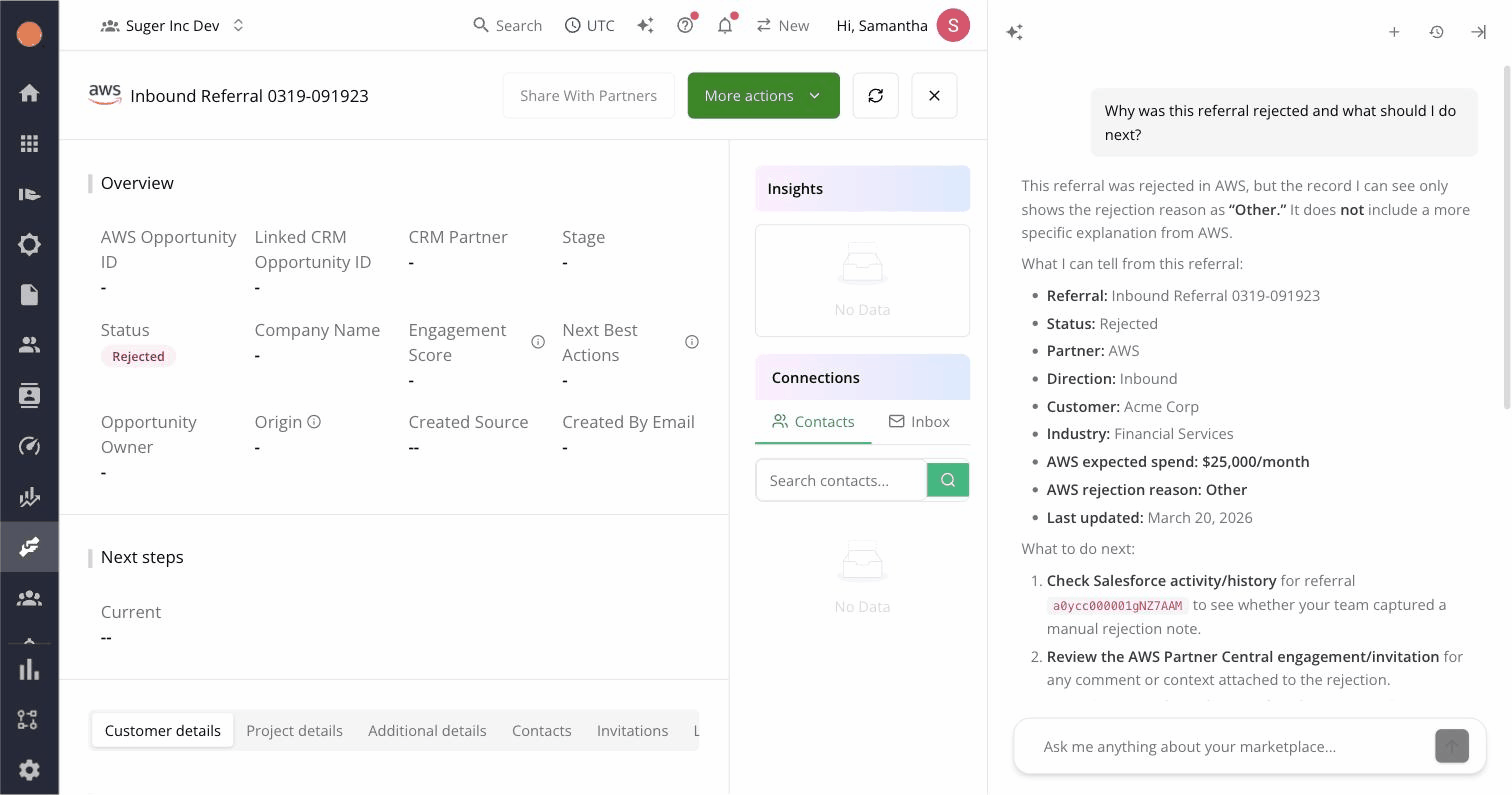
After the chat panel diagnoses the failure, Open Edit Dialog drops you into the referral edit dialog with the proposed corrections staged. You review, adjust if needed, and click Resubmit. Suger handles the partner-side API call.
Two things to know about this flow:
- The chat panel stays open during the edit — useful if you want to re-ask “is this what you meant?” before saving.
- If the resubmit fails again, the agent re-diagnoses against the new error and updates its recommendation. You’re not stuck repeating the cycle blind.
The engagement-score pipeline
Beyond reactive diagnosis, Suger runs an AI engagement-scoring pipeline against open referrals. Every referral gets a score (Healthy / At Risk / Stuck) based on AWS, Azure, or GCP signals — stage age, recent partner activity, customer engagement, decision date proximity.
The score isn’t an AI feature inside the chat — it’s a separate background pipeline that updates referral health on the co-sell list view and dashboard. Referrals trending toward At Risk surface in the Actions tab of the Co-Sell Metrics Dashboard, so you can act before they fail rather than only after.
Together, the two AI features form a before-and-after pairing: engagement score warns ahead of failure, diagnose unblocks after. Most teams configure the dashboard so the Actions tab surfaces both.
What it can’t do
The same limits that apply to offer diagnose apply here:
- It can’t recover from cloud-side eventual consistency — IAM, account enrollment lag, AWS ACE backfill.
- It can’t fix mismatched customer records when the customer in your CRM truly doesn’t exist on the cloud’s side — that’s an account-level setup task.
- It won’t bluff fixes when the error is opaque or new; in those cases, it explains what it sees and recommends a support escalation.
Try it
The co-sell diagnose skill is on for every Suger org with co-sell integration. The matching offer version is documented in the offer diagnose guide.
See the pillar guide on Suger’s AI features for the full overview, or book a demo if you’d like to see it on your live referral pipeline.