


A private offer that fails to create on AWS, Azure, GCP, or Snowflake used to mean copying a cryptic error message into a Slack thread and waiting for the partnership manager to translate it. Suger AI’s offer diagnose skill replaces that loop. The moment you open a failed offer, the chat panel opens with the specific reason, the specific fix, and a button to edit the draft with the correction already staged.
This guide covers what the diagnose skill knows, what it covers per cloud, and where it tops out.
How the diagnose flow works
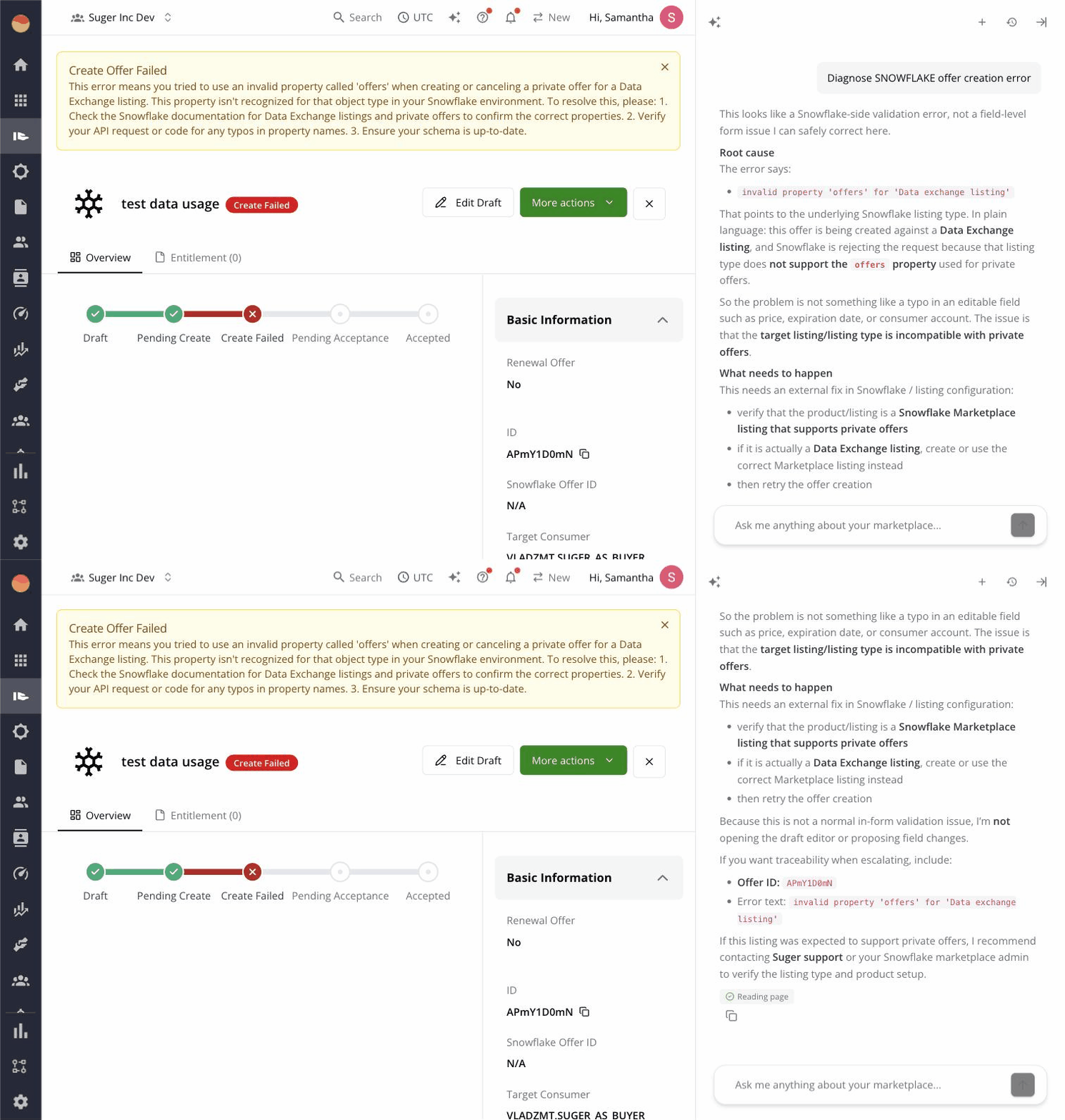
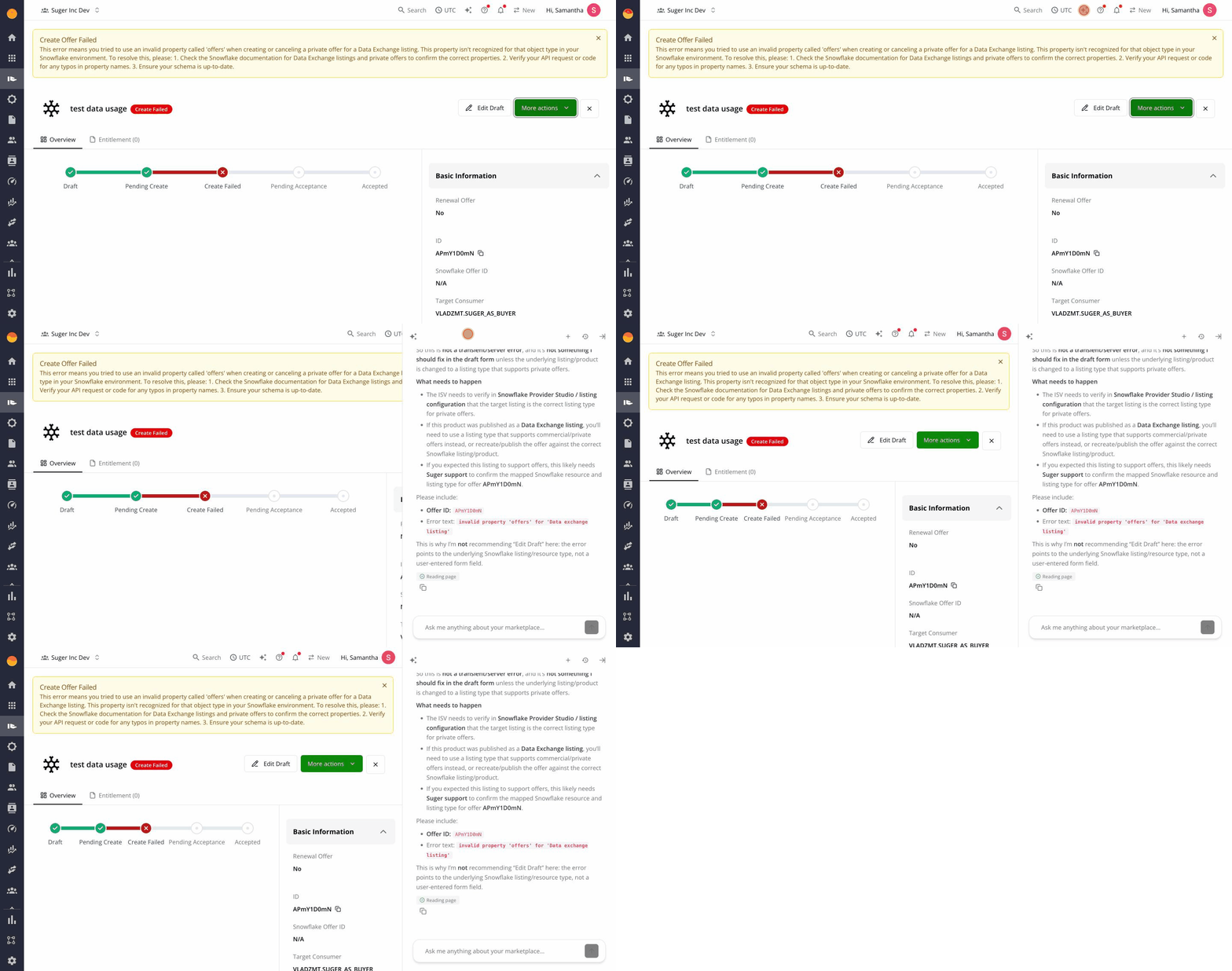
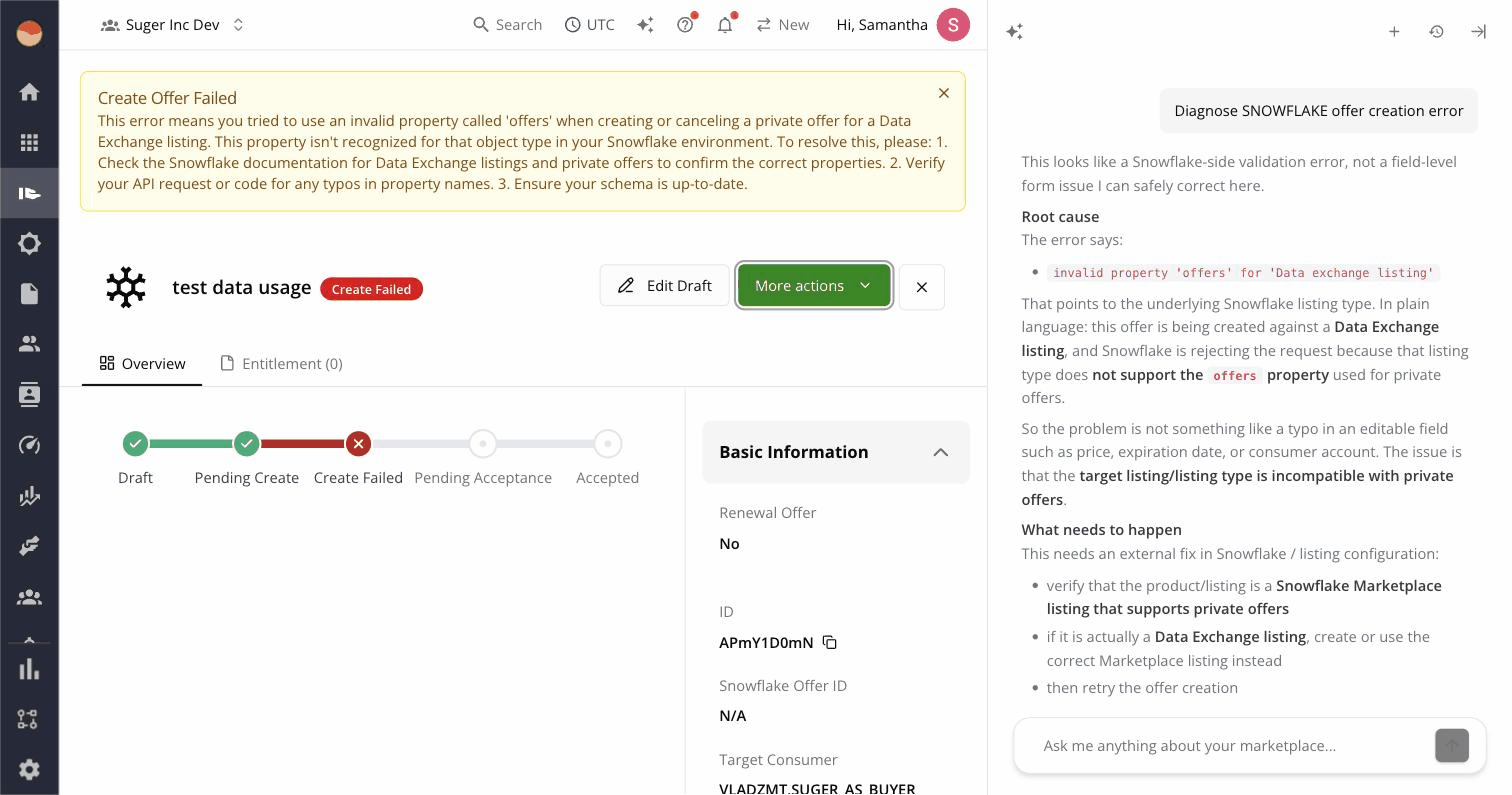
When an offer’s status is CREATE_FAILED and the error message array is non-empty, Suger AI auto-opens with the failure context already loaded. You don’t click anything to start the diagnosis — it’s there when you open the detail page.
The agent:
- Reads the offer’s error message stack and form data.
- Matches the errors against a per-cloud diagnostic skill that knows the actual rules each marketplace enforces.
- Returns a plain-English explanation of why it failed and what to change.
- Surfaces an Edit Draft button that navigates you to the offer creation form with the proposed fix pre-staged.
If you’d rather trigger it manually — or re-trigger after editing — there’s also an AI Diagnose button in the offer detail header.
What it actually knows (AWS)
The AWS diagnostic skill covers sixteen distinct failure categories. Each category maps to a specific marketplace rule and a specific fix:
| Category | Failure example | What changes |
|---|---|---|
| Buyer account format | AWS account ID has 11 digits or includes hyphens | Strip non-digits; pad to 12 |
| Dimension key regex | data-units fails AWS’s ^[a-zA-Z][a-zA-Z0-9_]*$ | Replace hyphens with underscores |
| Dimension key collision | Two dimensions share the same key | Rename one of them |
| EULA validation | Standard Contract for AWS Marketplace edits | Restore standard EULA or upload custom |
| CPPO resale IAM | Missing AWSServiceRoleForMarketplaceResaleAuthorization | Provision the service-linked role |
| Contract duration | 0 months or > 60 months | Clamp to AWS allowed range |
| Buyer account count | More than 24 buyer accounts on one offer | Split into multiple offers |
| Commit cap | More than 100 commits on one offer | Restructure pricing |
| Payment schedule | Dates outside contract window | Realign payment dates |
| Agreement base | CPPO created against the wrong base | Recreate from the right agreement |
| Currency mismatch | Offer currency ≠ product currency | Match to product |
| Date format | ISO dates malformed | Reformat |
| Required fields | Missing customer email or company | Fill missing fields |
| Free trial conflict | Free trial enabled on incompatible product | Disable or change product |
| Reseller config | Reseller fields missing for resale type | Add reseller details |
| Generic AWS error | Unmapped AWS-side error | Suggest opening a support ticket |
The first eleven are “fixable by editing” — the AI’s recommendation goes into the draft via the Edit Draft navigation. The last few are external: IAM permission propagation, ticket-required AWS-side issues. The agent will tell you when it can’t fix something, so you don’t spend time editing forms that won’t help.
Cloud coverage
The same skill exists for each major cloud, with cloud-specific rules baked in:
- AWS — sixteen categories as above.
- Azure — schema version handling (V1, V2, V3 plans behave differently), plan field shape (
planvsbasePlan), absolute-vs-percentage discounts, flexible billing dates that must be unique. - GCP — partner-specific contract structure, pricing model validation.
- Snowflake — listing constraints, ARR commit rules.
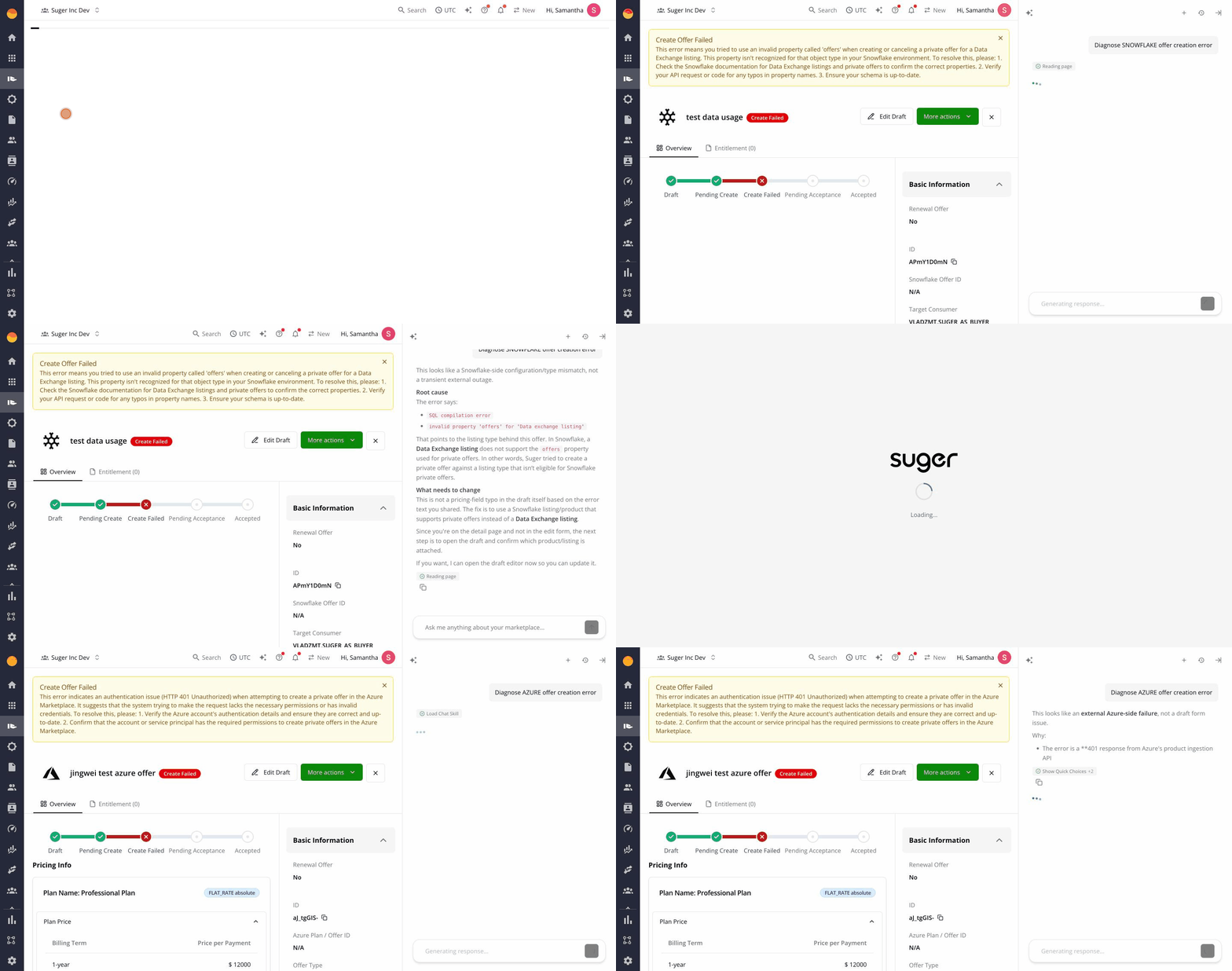
A single mental model — failed offer → open detail → read AI explanation → click Edit Draft — works across all four. No retraining per cloud.
Where it stops
The diagnose skill is sharp on errors that come from validation rules and form data. It’s less helpful on:
- Transient AWS / Azure / GCP failures — service hiccups, eventual consistency on IAM role propagation. The agent will flag these as “wait and retry” rather than recommending edits.
- Account-level issues — your seller account isn’t enabled for a feature, your buyer isn’t enrolled in a program. These need to be resolved at the cloud’s admin console, not in Suger.
- Custom contract terms — if you’re using a heavily customized EULA, the AI may not have visibility into what AWS will accept. It will flag the area and recommend a manual review.
In every “external” case, the chat panel says so explicitly — the agent doesn’t bluff fixes it can’t deliver.
Try it
Suger AI’s diagnose skill is on by default for every customer. Open any failed offer in the Console and the chat opens with the diagnosis. The matching co-sell version — for failed AWS ACE, Azure Deal Reg, and GCP referrals — is documented in the co-sell diagnose guide.
For the full picture of Suger AI, see the pillar guide and the introductory blog.