Suger MCP, AI mapping for co-sell and funding, Account Mapping, AWS funding requests with AI-powered insights, the Co-Sell Metrics Dashboard, CRM role-based notifications, and a Chrome extension for AWS PRM tagging.
This month, Suger shipped updates across co-sell intelligence, marketplace mapping, funding workflows, and notifications. Most of these replace work that used to live in spreadsheets, custom integrations, or manual rekey.
Here’s what’s new.
Suger MCP: Run your cloud marketplace motion with AI
The Suger MCP Server is live. Connect Claude Desktop, Claude Code, Cursor, VS Code, Windsurf, ChatGPT, or any other Model Context Protocol-compatible client to Suger, and run marketplace operations in natural language.
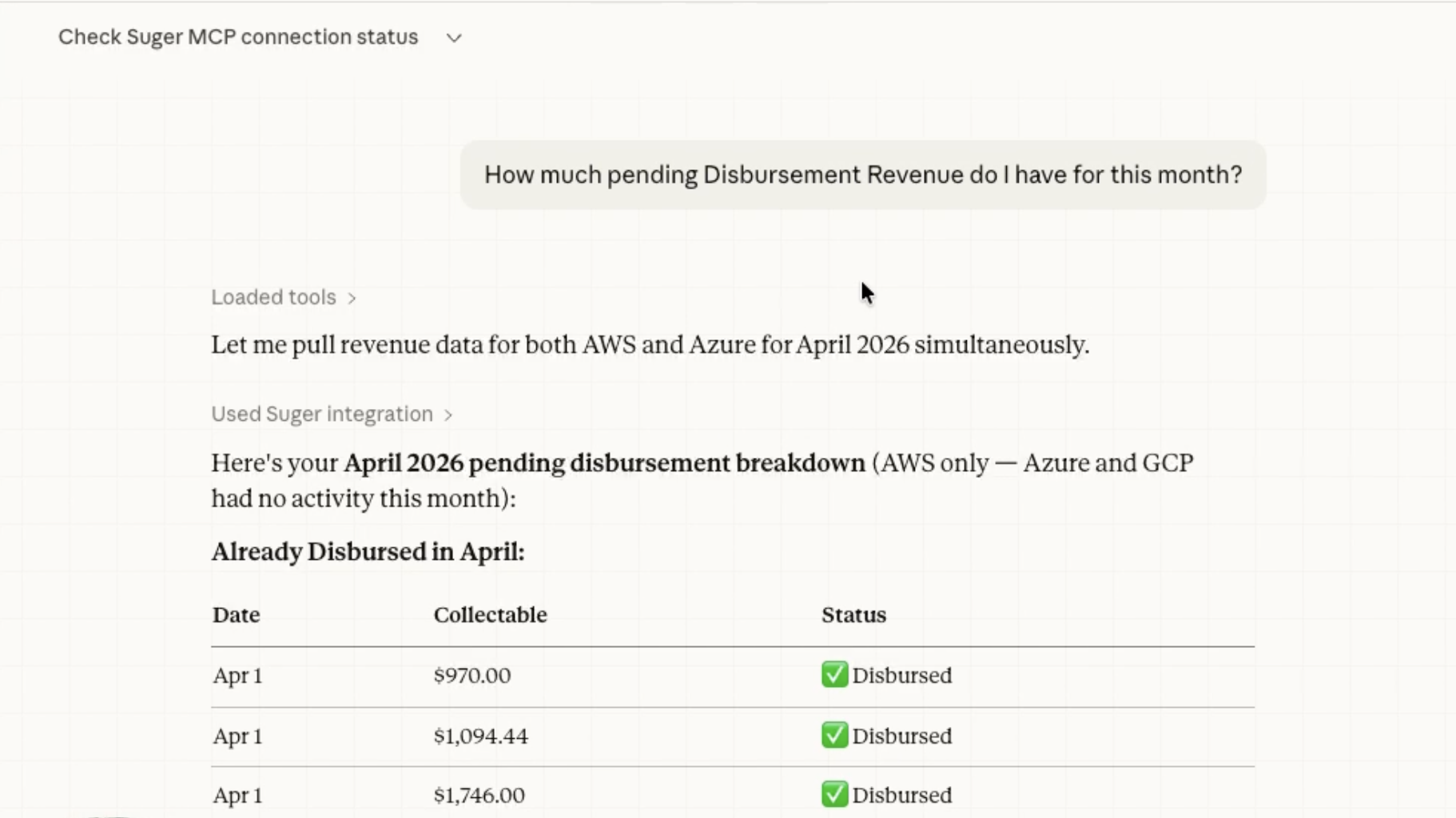
The server exposes more than 120 tools spanning the full Suger API — offers, entitlements, buyers, billing, metering, support, and co-sell. Anything possible in the console or via the REST API works in conversation.
What that looks like in practice:
- “Create a private offer for Acme Corp on AWS with a 20% discount”
- “Show me all entitlements expiring in the next 30 days”
- “Generate a revenue report for Q4”
- “Report usage for entitlement ent-123”
- “What support tickets are open right now?”
Engineers live in their IDE, sellers in their CRM, finance in reporting tools. MCP gives each of them direct access to marketplace operations without leaving the tool they already work in.
AI Mapping for Co-Sell and Funding
Every co-sell referral and every funding request requires translating CRM fields into the marketplace’s required format — picklist values, derived dates, country codes, business-appropriate descriptions. Until now, that translation happened in custom integrations or by hand.
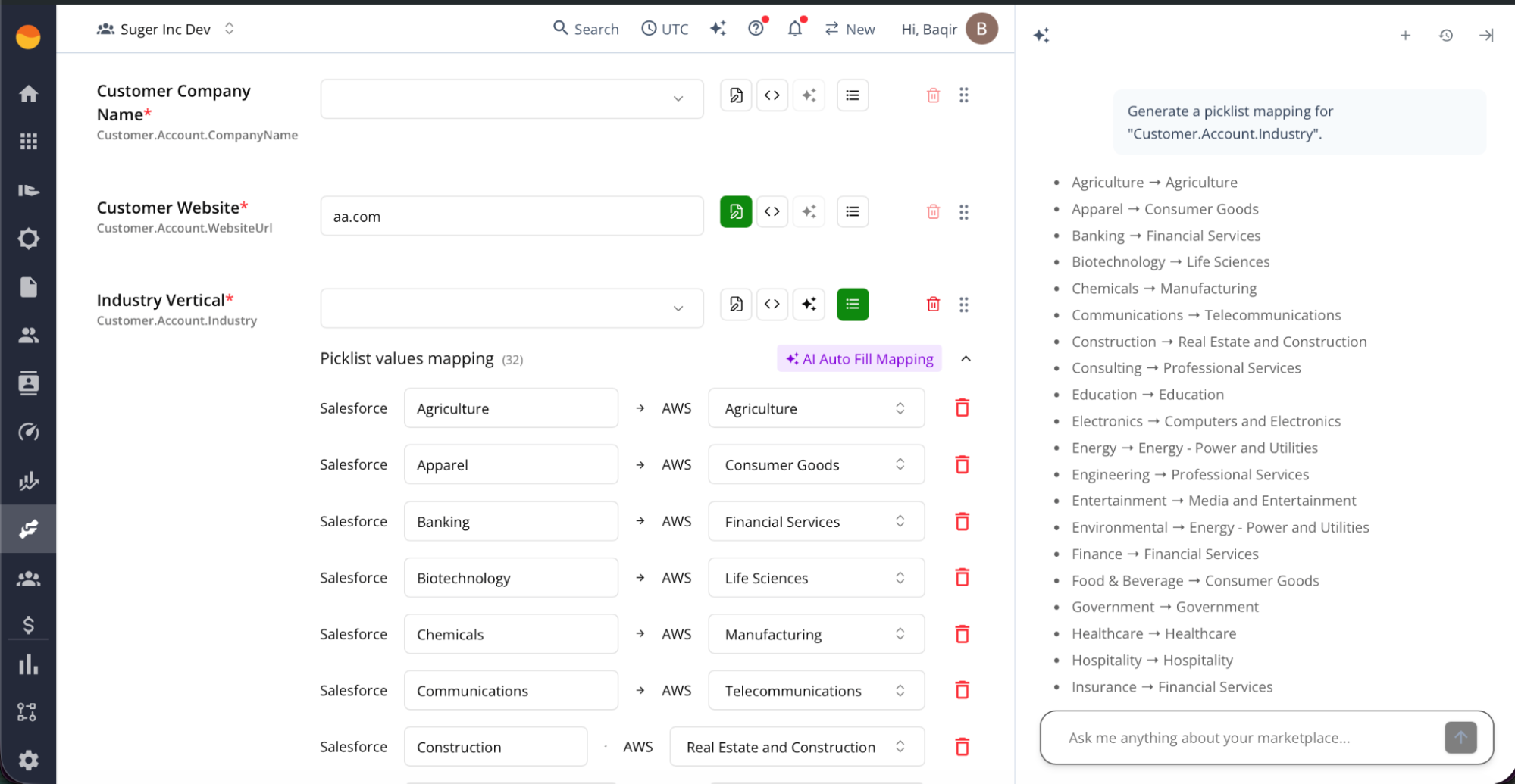
Suger now supports four mapping modes for any co-sell or funding field:
- Direct: Copies a CRM value as-is. Best when the source already matches the target format.
- Expression: A constant or transformation. Good for fixed values like “Alliance Lead” or combining first and last name.
- Default Value: Fills only when the source is empty — safe fallbacks like USD or US.
- AI Generate: Prompt-based inference from other mapped fields. Use it for date offsets (“close date plus 14 days”), business justifications from opportunity notes, or country inference from billing addresses.
Picklist mapping handles fields with controlled vocabularies — translating “United States” in the CRM to “US” in the target schema, or CRM opportunity stages to AWS co-sell stages.
The same engine powers both co-sell and funding submissions. Configure it once per integration, and every submission across providers and program types uses it. Setup time drops on every new integration, and submissions pass validation more often.
Account Mapping: Identify cloud account owners before you share the referral
Identifying who owns the AWS, Azure, or GCP relationship for a customer account has always been a manual exercise — lists in spreadsheets, data stale within days, no system of record. Sellers often don’t know who their cloud counterpart is until after the referral goes out.
Account Mapping replaces that workflow.
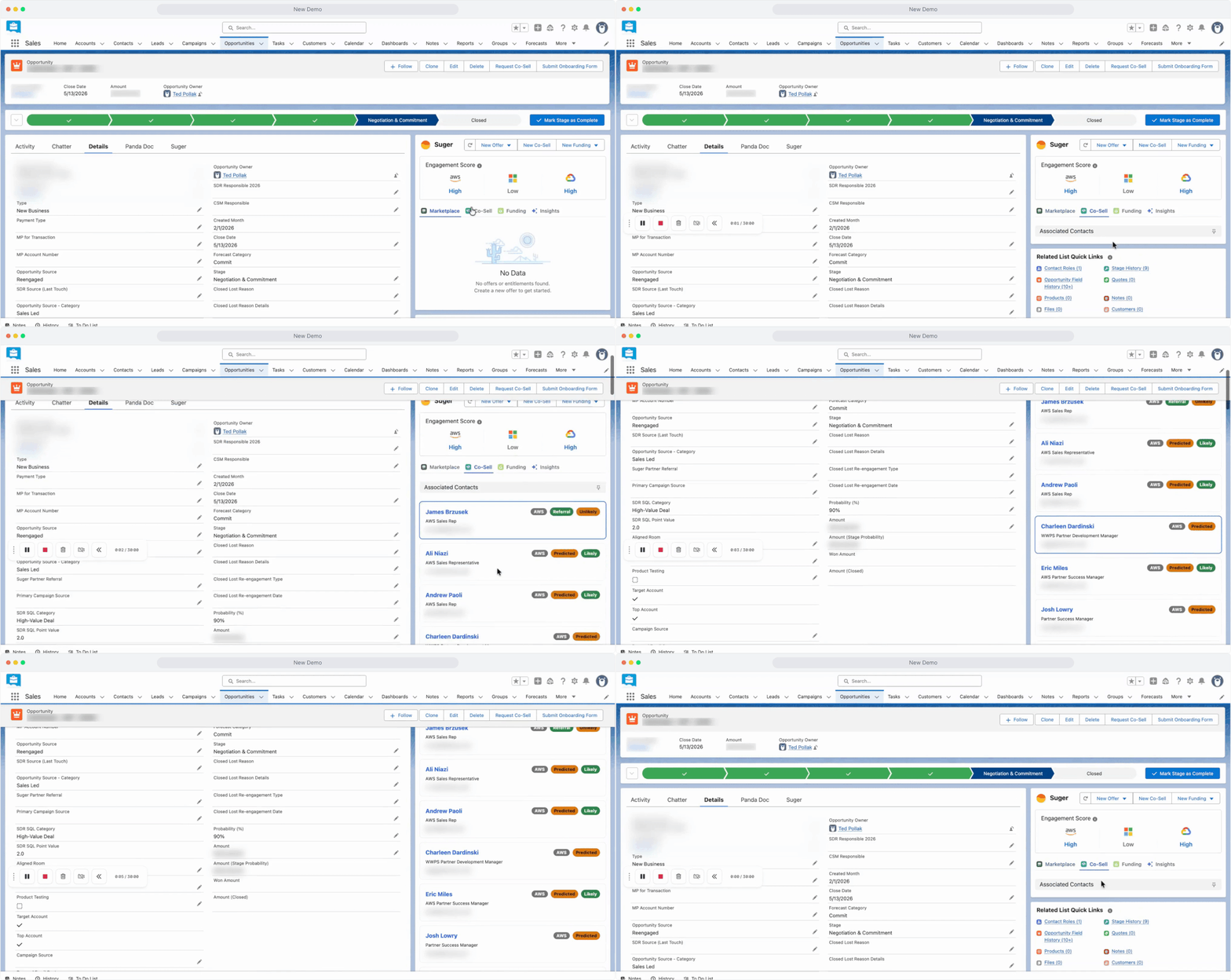
- Predicted ownership. Suger predicts the most likely AWS, Azure, or GCP account owner for any Salesforce account, surfaced on the account record via the Suger widget.
- Reportable data model. Ownership lives in Salesforce and the Suger Console, not in email threads.
- Historical co-sell context. A new AE inheriting an account can pull up the cloud rep profile and see prior co-sell activity.
Partner Ops stops running on spreadsheets, and AEs know their cloud counterpart before the co-sell referral goes out.
AWS Funding Requests, now with AI-powered insights
AWS funding requests can now be submitted directly from Suger, in both the Suger Console and the Suger widget in Salesforce. Supported programs:
- MAP Cash Claim
- Proof of Concept
- ISV Workload Migration
- Market Development Funds
- PIF SCA GenAI POC
- PIF SCA GenAI MDF
- MPOPP Grow
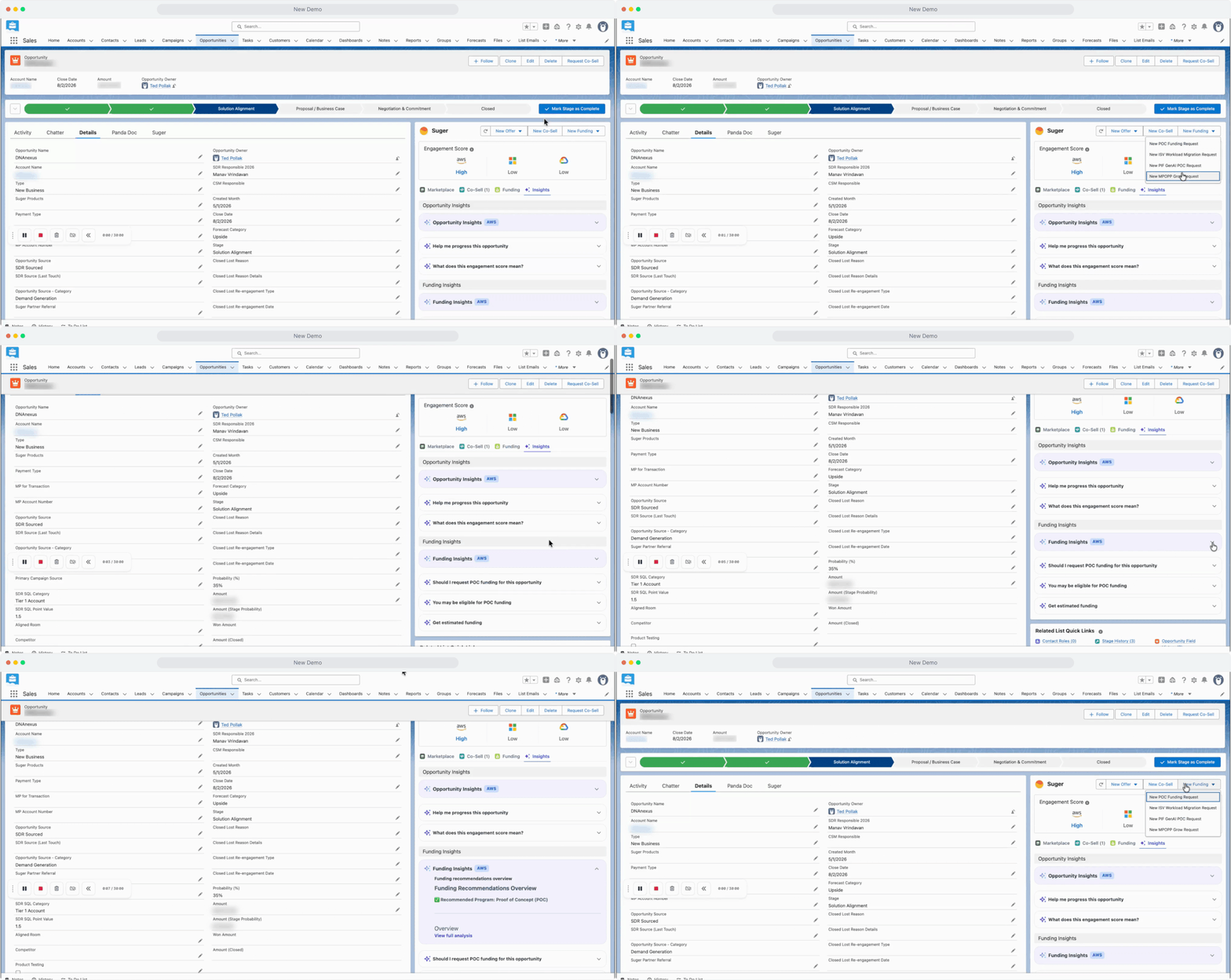
Submissions use the AI mapping engine above. Start and end dates derive from close dates, business justifications generate from opportunity notes, and currencies and countries flow through picklist mapping. The manual rekey from Salesforce to AWS becomes a one-click submission.
AWS Partner Central Agents — introduced last month — now reach into the funding workflow. The agent checks whether an opportunity qualifies for specific funding programs, flags missing fields, estimates the potential POC funding amount, and pre-populates the application. Everything appears in the Funding Insights tab of the Suger widget at the opportunity level.
Co-Sell Metrics Dashboard: Performance, actions, and workflow in one view
Co-sell programs produce a lot of signal — referrals submitted, accepted, declined, won, lost, stuck — but most teams have no consolidated view. Diagnosing a drop in win rate means manual investigation across systems.
The new Co-Sell Metrics Dashboard puts the full picture in three tabs.
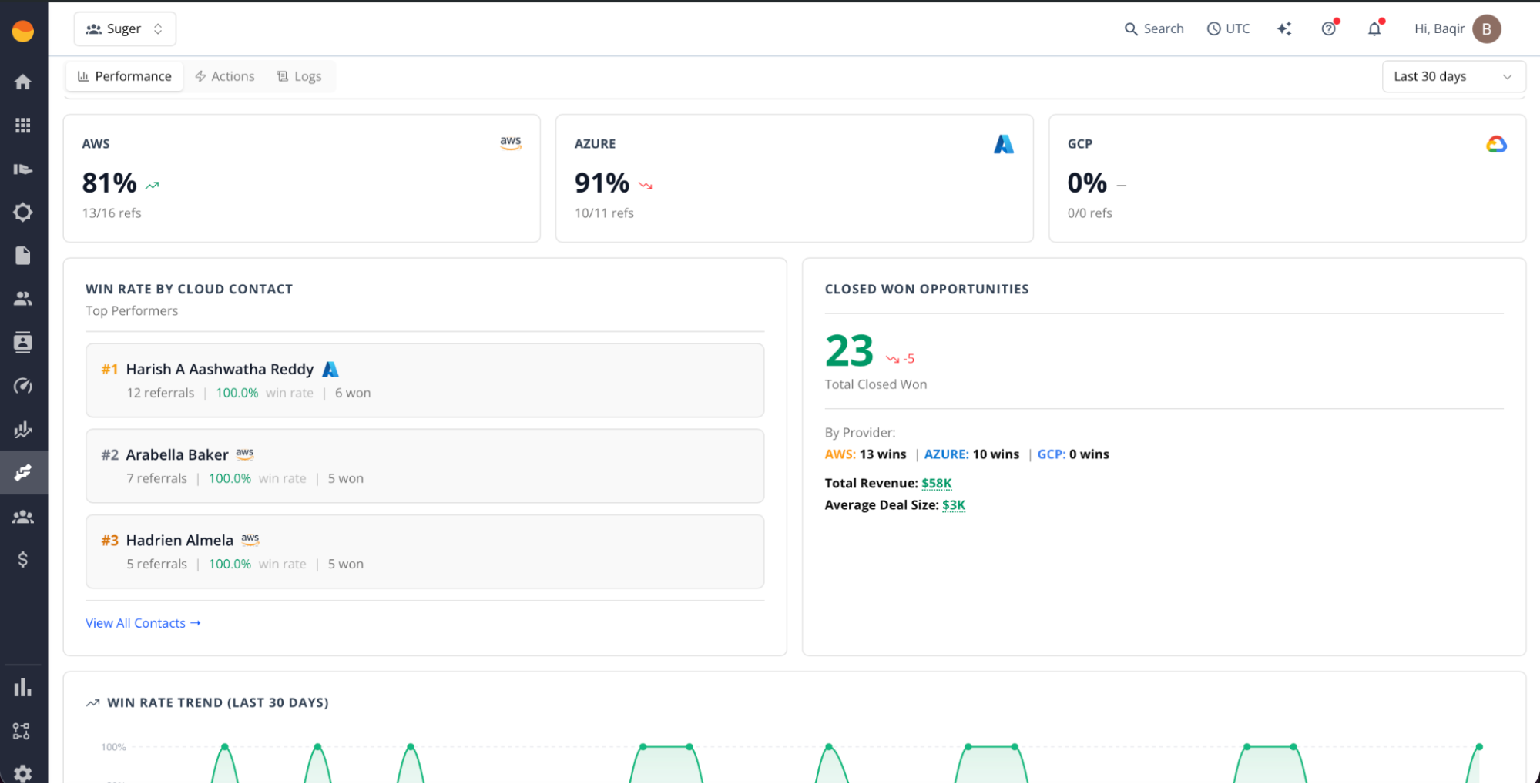
The Performance tab tracks program health:
- Overall win rate with trend versus the previous period
- Win rate split by provider — Azure, AWS, GCP
- Top cloud partner contacts ranked by referrals
- Closed-won opportunities with revenue by provider, total revenue, and average deal size
- Trend charts for win rate and activity volume
The Actions tab surfaces what needs intervention:
- Top failure reasons ranked by frequency, each with a recommended fix and an AI Auto-Fix toggle that resolves known errors automatically
- AI Auto Cleanup for duplicate referrals — confidence-scored, removed in one click after a review modal (the original stays, duplicates are soft-deleted)
- Referrals needing user action, surfaced before they go stale
- Inbound referrals pending acceptance
The Workflow tab logs every automated execution — outbound sync, inbound sync, auto-share. Filterable by provider, workflow type, and status. Includes error details, retry on failure, and CSV export.
The Actions tab is built to absorb investigations that used to generate support tickets — sellers can self-serve on most failure patterns rather than escalating.
Notifications: Route to CRM record owners, not hard-coded email addresses
Notification recipients used to be hard-coded email addresses. That works at low volume, but at scale, deal owners regularly miss events about their own deals unless someone manually adds them to every trigger.
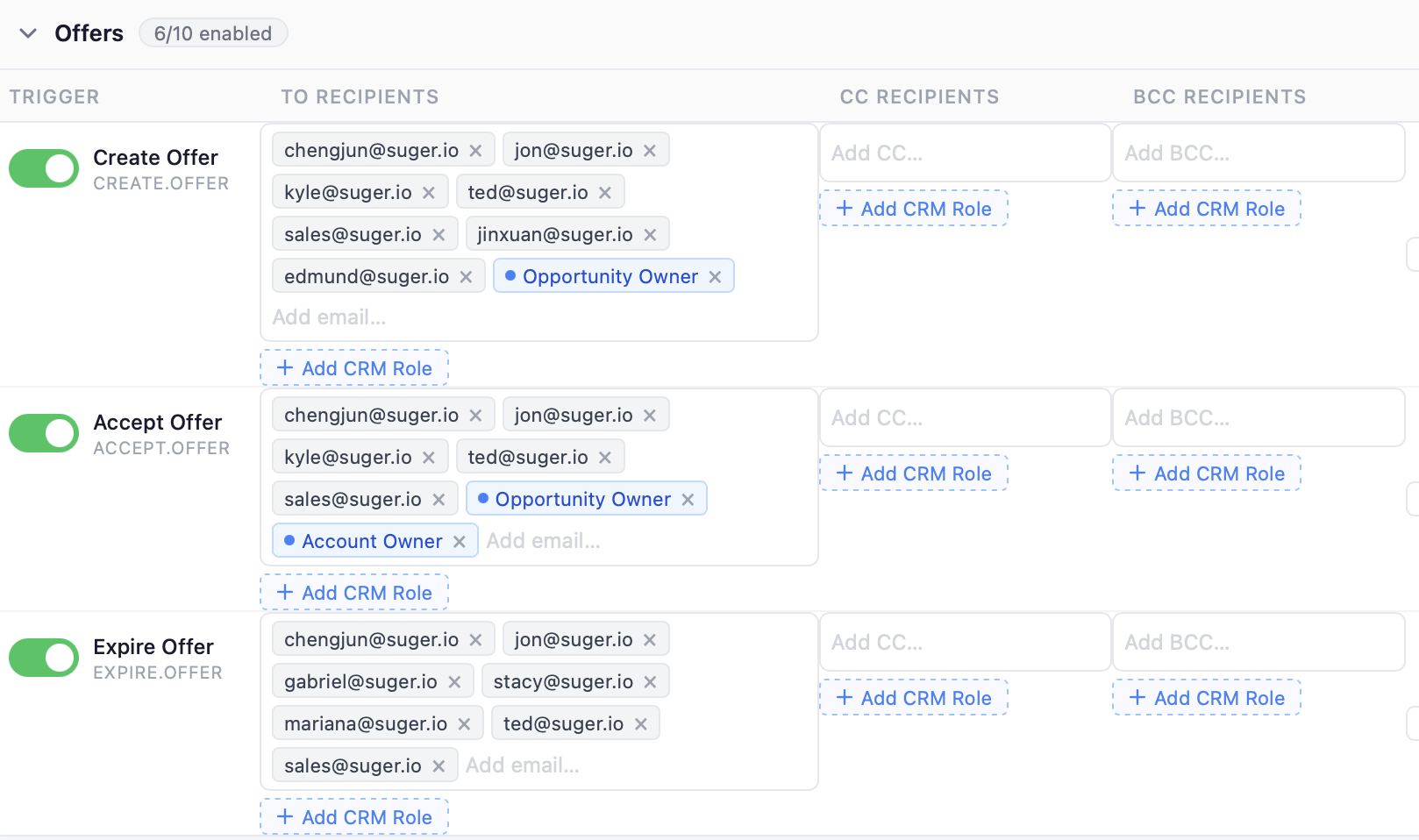
Notification triggers now support CRM role-based recipients in TO, CC, and BCC fields.
Pick from Opportunity Owner, Account Owner, Primary Contact, Deal Owner, or a custom CRM field expression. Roles appear as pills alongside static email addresses — same shape as the existing UI, visually distinct so dynamic recipients are obvious. At send time, Suger resolves each role to an email from the linked CRM record. If no record is linked, the role is skipped.
When a deal owner changes in Salesforce, the notification routing follows automatically.
Chrome Extension for AWS PRM Tagging
AWS Partner Revenue Measurement requires tagging resources with the correct marketplace product code across services and accounts. The setup is buried in a sixty-page onboarding guide and involves retrieving codes, navigating between services, tagging by hand, and managing compliance across accounts.
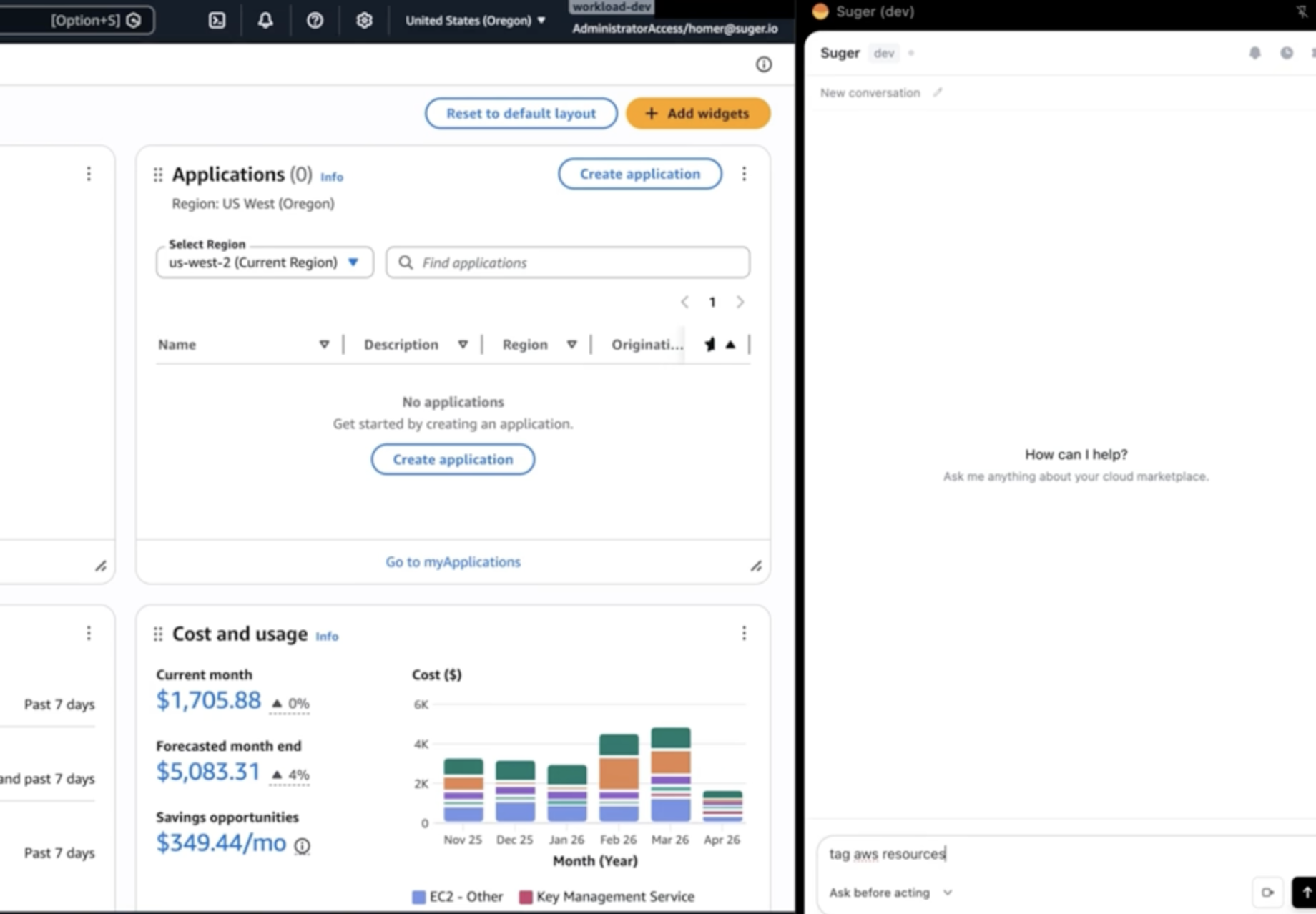
Suger’s PRM Tagging Chrome Extension automates it.
- Applies the correct
aws:marketplace:productCoderesource tags automatically - Maintains compliance without CLI or CloudFormation
- Onboards customers to PRM in minutes instead of hours
- Scales tagging across multiple AWS accounts
For ISVs running multiple SaaS listings, this turns PRM from a custom integration project into a browser extension.
A lot shipped this month, and these capabilities are available for Suger customers now. If you want to see how any of them fit into what you’re running today, book a demo.
Stay Updated
Get the latest Cloud GTM insights, product updates, and marketplace strategies delivered to your inbox.